

Keep score. Stay in the game.
Padel, Tennis, and Pickleball scoring on square and round Amazfit watches. Tap the upper half for them, the lower half for you. Keep the score on your wrist and your match history on Android.
Free scoring. No account. Your matches stay on your devices.
Formerly Padora: same app, new name.
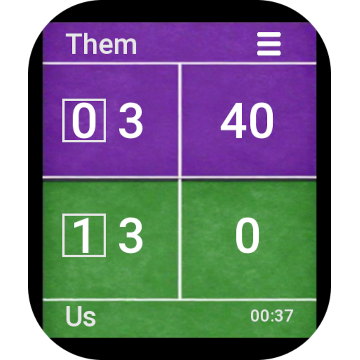
Three sports. One watch app.
Choose Padel, Tennis, or Pickleball in Settings. Each sport keeps its own rules, with scoring and match history made for your watch shape.
-
Games, sets, and tie-breaks for Padel and Tennis. -
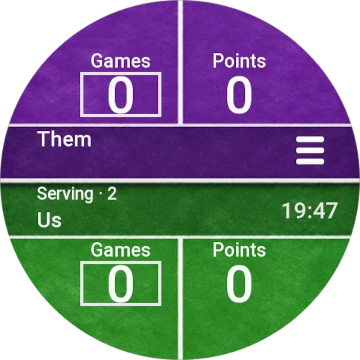
Side-out or rally scoring for Pickleball. -
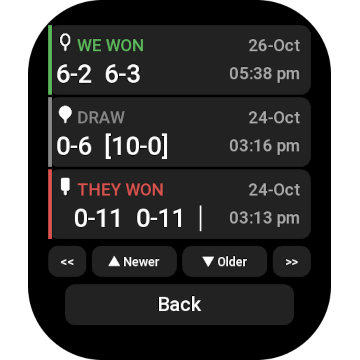
All three sports on your wrist, ready to sync to Android.
Your matches, on Android
Keep Padel, Tennis, and Pickleball results together. Sync completed watch matches, or add and edit results on your phone when you need to fill a gap.
Keep older history beyond the watch's latest 100 matches. Review scores, dates, wins, losses, and draws in light or dark mode. Phone-entered results and edits stay on the phone.
-
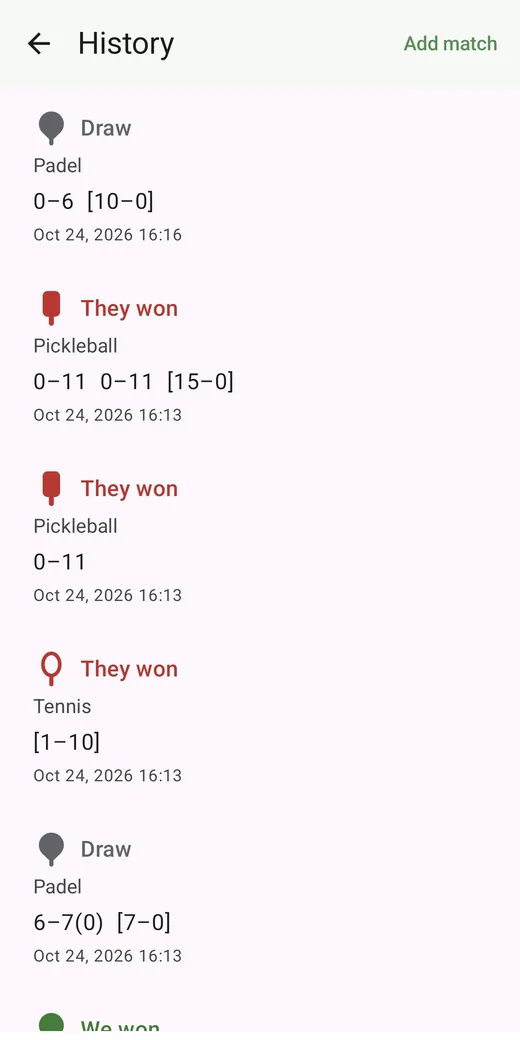
All three sports in one history. -
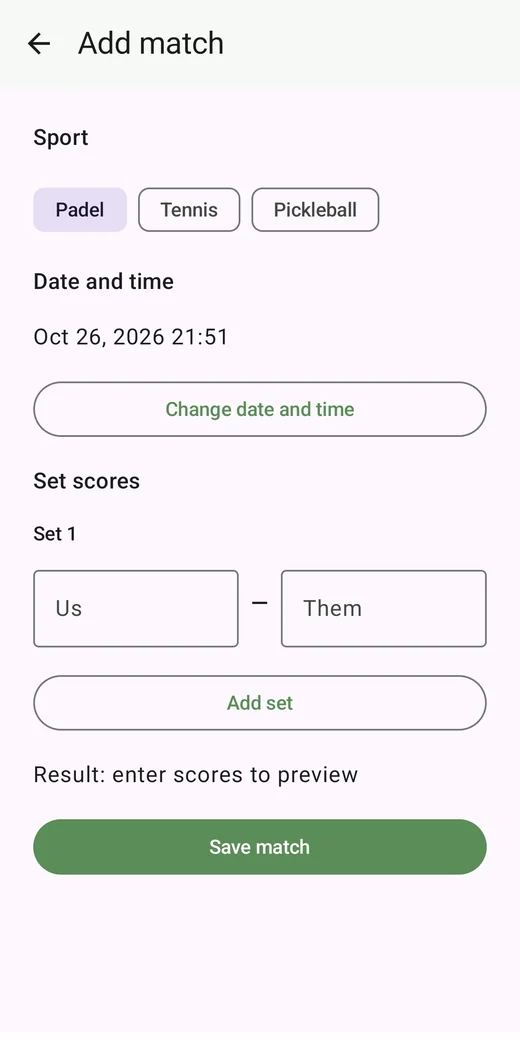
Add a missing match or edit a result. -
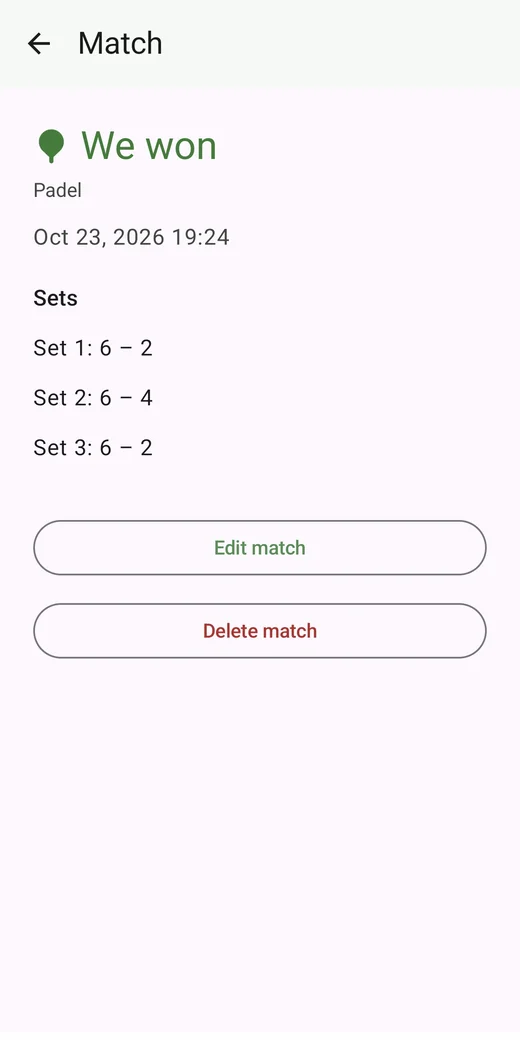
A closer look at every result.
Manual entry works without a watch. Use the latest OttiScore watch and Android apps to sync results for all three sports.
Built for a match
- Tap to score
- Upper half for the other side, lower half for yours. Undo a mistaken point from the match menu.
- Formats
- Single set or game, best of 3 or 5, and open play where the sport supports it.
- Your sport's rules
- Padel golden point or advantage, Tennis tie-break and deciding-set options, and Pickleball side-out or rally scoring for singles and doubles.
- Final tie-break or game
- Agree to finish with a final tie-break in Padel or Tennis, or a final game in Pickleball, from the match menu.
- Names
- Rename Us and Them for the match.
- Private
- No account, ads, or analytics. Scoring works offline. Match history stays on your watch and phone.
Install it
Get the watch app through Zepp, and the optional Android companion through Google Play.
-
Install the Zepp app on the Android phone you use with your watch.
In Zepp, open the app store and search for OttiScore.
Install it on a supported watch.
-
For phone history and manual results, install OttiScore for Android.
How to pair and sync
- In OttiScore on Android, open Sync and set up pairing to get a 6-digit code.
- On your phone, tap Start sync and open the Zepp app.
- On your watch, open OttiScore → Settings → Sync to phone. Enter the pairing code if asked.
For later syncs, start sync on the phone, open Zepp, then tap Sync to phone on the watch. You only need to enter a pairing code when setting it up again.
The phone keeps matches that have rolled off the watch's latest 100. Scoring stays on the watch; phone-entered results and edits are not sent back.
Support
Scoring stays free. If OttiScore is useful on court, you can leave a tip.
Feedback
Bug, idea, or a question about the watch or Android app.
Sent. Thank you.
Supported watches
Square and round Amazfit watches with Zepp OS API level 4.0 or newer. Supported models include:
- Amazfit Bip 6 and Bip Max
- Amazfit Active 2 (square and round, including NFC), Active 3 Premium, and Active Max
- Amazfit Balance 2, Balance 3, and Balance Ultra
- Amazfit T-Rex 3, T-Rex 3 Pro (44mm and 48mm), and T-Rex Ultra 2
- Amazfit Cheetah 2 Ultra and Cheetah 2 Pro
Check the app store in Zepp for availability on your paired watch. OttiScore does not run on Apple Watch or Wear OS yet.